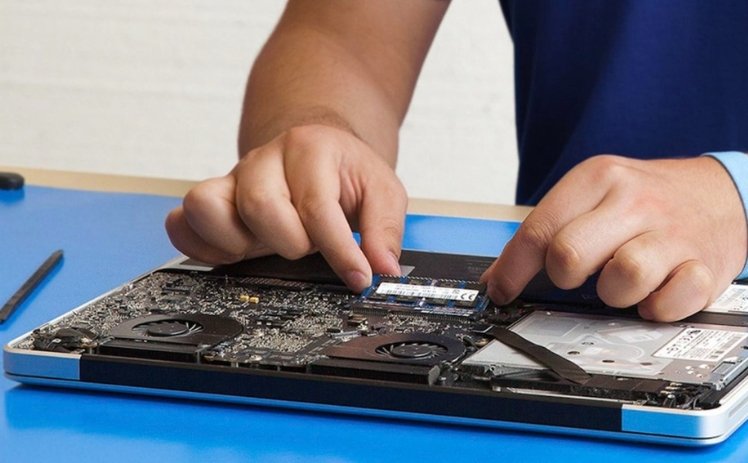
Apple laptops are celebrated for their sleek design, robust build quality, and exceptional performance. However, like any advanced piece of technology, they are susceptible to hardware failures over time. Among the various components that make up an Apple laptop, the motherboard—universally known as the logic board—is the most critical and complex. When your device refuses to turn on, experiences sudden random shutdowns, or suffers from liquid damage, finding reliable top macbook repair and services becomes an absolute priority to restore your device to full working order.
Understanding the Role of the Logic Board in Modern MacBooks
The logic board serves as the central nervous system of every MacBook Air and MacBook Pro. It houses the primary processing unit, integrated graphics, system memory, storage controllers, and power management integrated circuits. Because modern Apple laptops feature tightly integrated designs where components like solid-state storage chips and RAM are often soldered directly onto the board, a failure doesn’t just mean a broken part; it threatens your precious data and overall system usability.
When symptoms such as a completely black screen, kernel panics, charging failures, or unresponsive keyboard inputs occur, they typically trace back to a malfunctioning logic board. Attempting to fix these issues requires specialized technical knowledge, precision micro-soldering equipment, and advanced diagnostic software that only professional repair laboratories possess.
Common Signs Your Laptop Requires Advanced Component-Level Diagnostics
Recognizing the early warning signs of motherboard degradation can save your device from catastrophic failure. Users frequently overlook minor glitches that eventually escalate into full system crashes. Common indicators that point directly toward logic board failures include:
- Complete Power Failure: The device shows no signs of life, refusing to boot even when connected to a known working power adapter and charging cable.
- Battery Non-Recognition: The operating system indicates that no battery is detected, or the laptop shuts down the moment the MagSafe or USB-C power cable is disconnected.
- Backlight Malfunctions: The laptop appears entirely dark, though a faint image can sometimes be spotted under bright external light shining against the display panel.
- Peripherals Failure: Internal components such as the trackpad, built-in keyboard, webcam, or Wi-Fi module stop responding randomly despite driver resets and software reinstaths.
- Overheating and Fan Noise: Fans spin wildly at maximum RPM even during low-intensity tasks, indicating thermal sensor failures or short circuits on power rails.
The Professional Diagnostics and Repair Process
Entrusting your device to top macbook repair and services ensures that technicians execute a meticulous, step-by-step diagnostic workflow rather than blindly swapping expensive parts. Professional repair facilities begin with a comprehensive visual inspection under high-powered microscopes to check for microscopic corrosion, blown fuses, or burned microchips caused by power surges or liquid exposure.
Technicians then utilize digital multimeters and DC regulated power supplies to track voltage flow across specific power lines, isolating short circuits down to individual capacitors or resistors. For liquid-damaged hardware, advanced ultrasonic cleaning baths are employed to safely strip away sticky residue and mineral corrosion from multi-layered circuit boards. Once the exact faulty micro-component is identified, expert engineers perform component-level micro-soldering to replace the damaged part, preserving your original board structure and safeguarding your stored files.
Why Choose Specialized Repair Over Full Motherboard Replacement
When faced with a dead laptop, many official service centers recommend a complete logic board swap, which often carries an exorbitant price tag that approaches the cost of a brand-new computer. Furthermore, on modern Apple Silicon and T2-secured devices, replacing the entire board means losing all locally stored data because the encryption keys and SSD chips are permanently paired to the original factory hardware.
Opting for specialized component-level troubleshooting offers a cost-effective, data-preserving alternative. By targeting only the damaged micro-chips—such as power management ICs, charging controllers, or blown backlight fuses—skilled technicians revive your original board. This targeted method not only slashes repair expenses significantly but also guarantees that your personal files, applications, and system configurations remain completely intact.
Conclusion
A malfunctioning MacBook does not automatically mean the end of your device’s lifecycle. Logic board complications demand precision, patience, and professional expertise to resolve successfully. By relying on established technicians who specialize in advanced diagnostics and micro-soldering, you ensure a permanent fix for your hardware. Seeking out top macbook repair and services guarantees transparent evaluations, secure data protection, and long-term stability for your valuable investment.
